Your spending, budgets, investments, net worth, goals, insurance and India tax in one app. Everything is encrypted on your phone, and only you can open it. No bank login, no account to create, no ads.
Encrypted on your phone with AES-256 (SQLCipher)
No bank linking, no sign-up, no ads
Face ID or fingerprint lock with a 6-digit PIN fallback
Made for India: lakhs and crores, 80C, 80D, HRA, old vs new regime
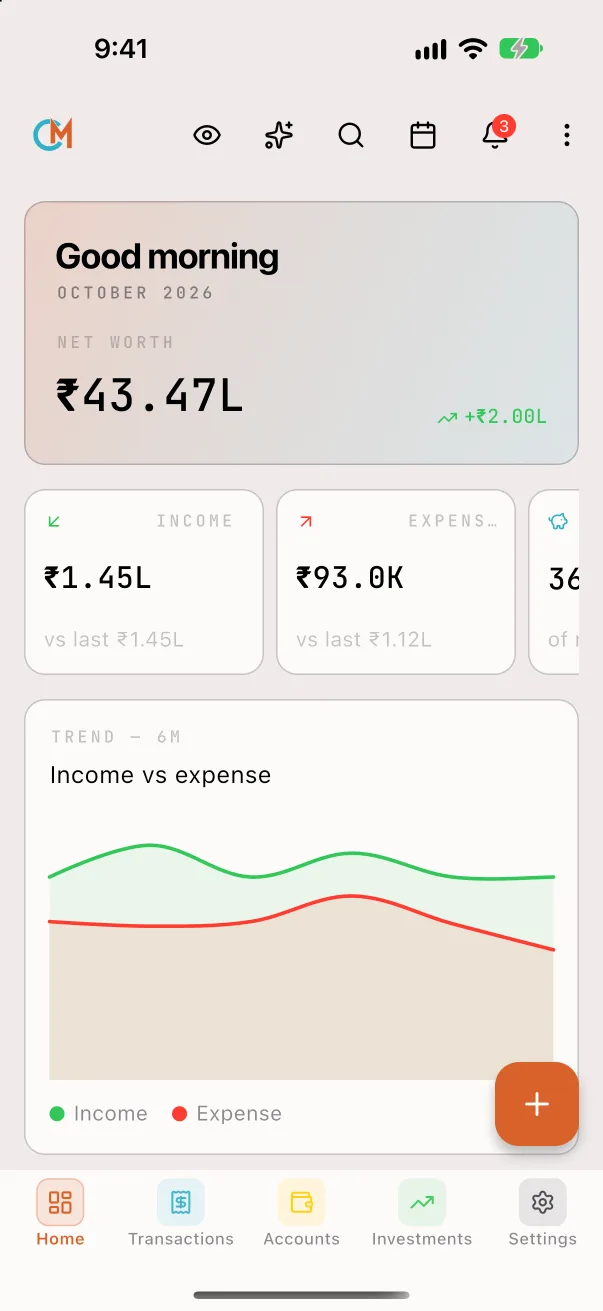
NeuFinance home screen with net worth, this month's income and expenses, and a 6-month trend
0
Bank logins needed
256-bit
AES encryption
10
Investment types tracked
Free
No ads, no in-app purchases
Inside the app
One app for your whole financial life
What NeuFinance does, screen by screen.
Spending
Track every rupee in seconds
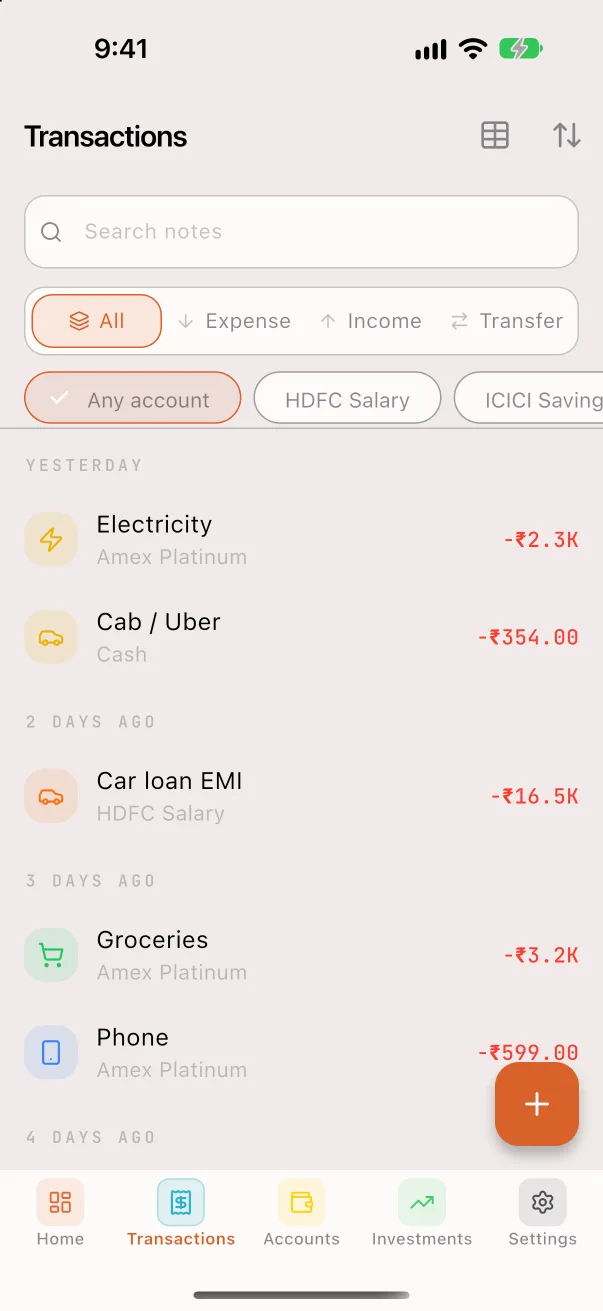
Add an entry with the calculator keypad, from the home screen widget, or a week at a time with bulk add.
Categories and sub-categories, tags, people and receipt photos
Split a bill with friends: your share is spending, the rest goes to Debts
Refunds lower your spending instead of counting as income
Salary, EMIs, SIPs and subscriptions post themselves on the day
Search with filters and saved searches
Budgets
Budgets that keep you on pace
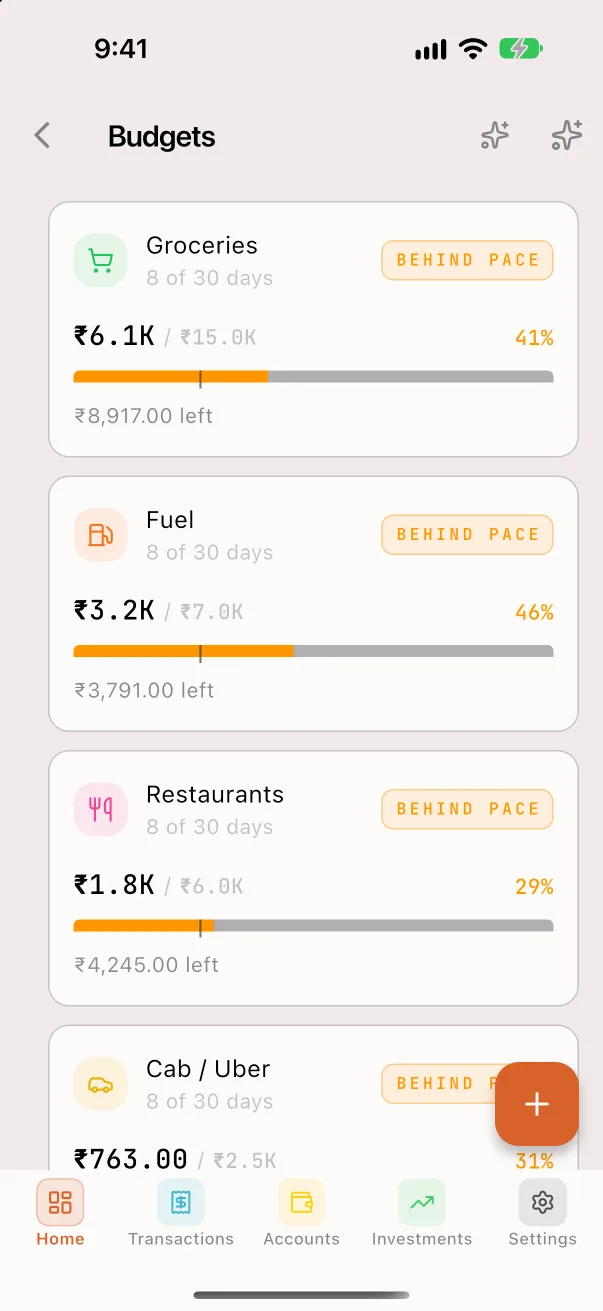
Set a limit for a category or a whole group, and see how much is left before the period ends.
Daily, weekly, monthly, yearly or one-time budgets
For all accounts or just one
Pace labels and alerts as you near the limit
Carry unused money or overspending into the next period
Look back at any past month
Investments
Your whole portfolio in one place
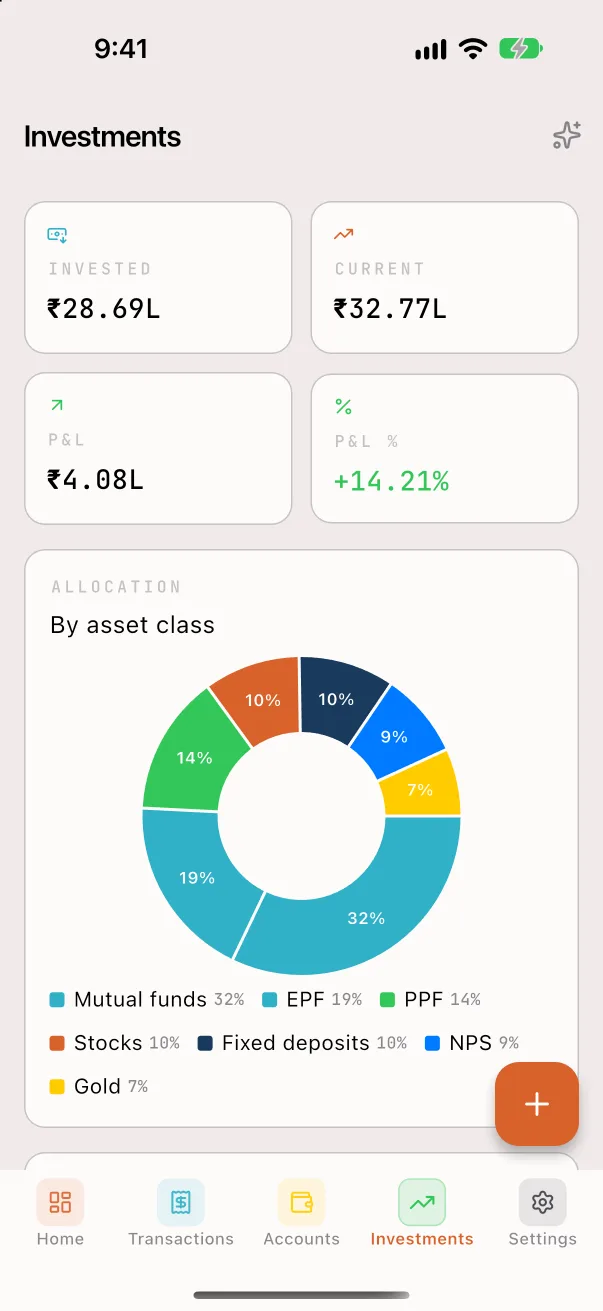
Track what you invested, what it's worth now and your gain, without linking a broker.
Stocks, mutual funds, FD, RD, PPF, EPF, NPS, gold, crypto and real estate
Allocation by asset class
Add money or withdraw straight from your bank account
SIPs run as recurring transfers into the fund
FDs and RDs compound quarterly; set an expected yearly return for the rest
Net worth
Your net worth, always current
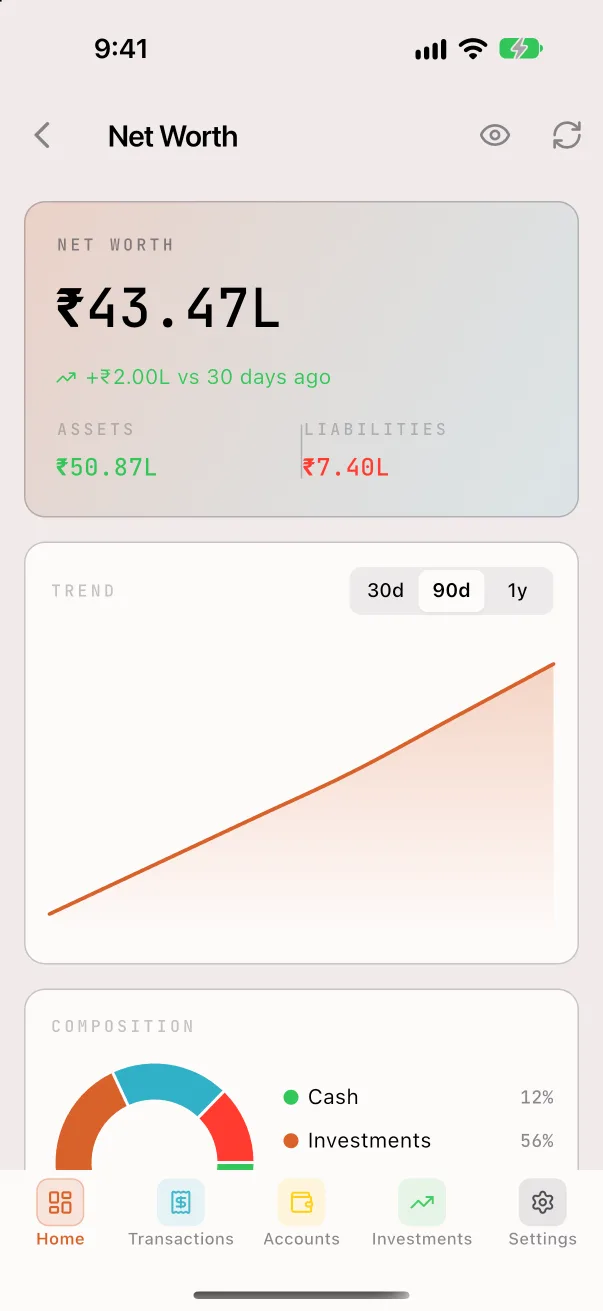
Assets minus liabilities in one number, with a trend over 30 days, 90 days or a year.
Card dues and overdrawn accounts count as debts, not negative assets
Home, car, personal and education loans with payment schedules
Property, vehicles and jewellery count too
Future-dated entries count only once their day arrives
Goals
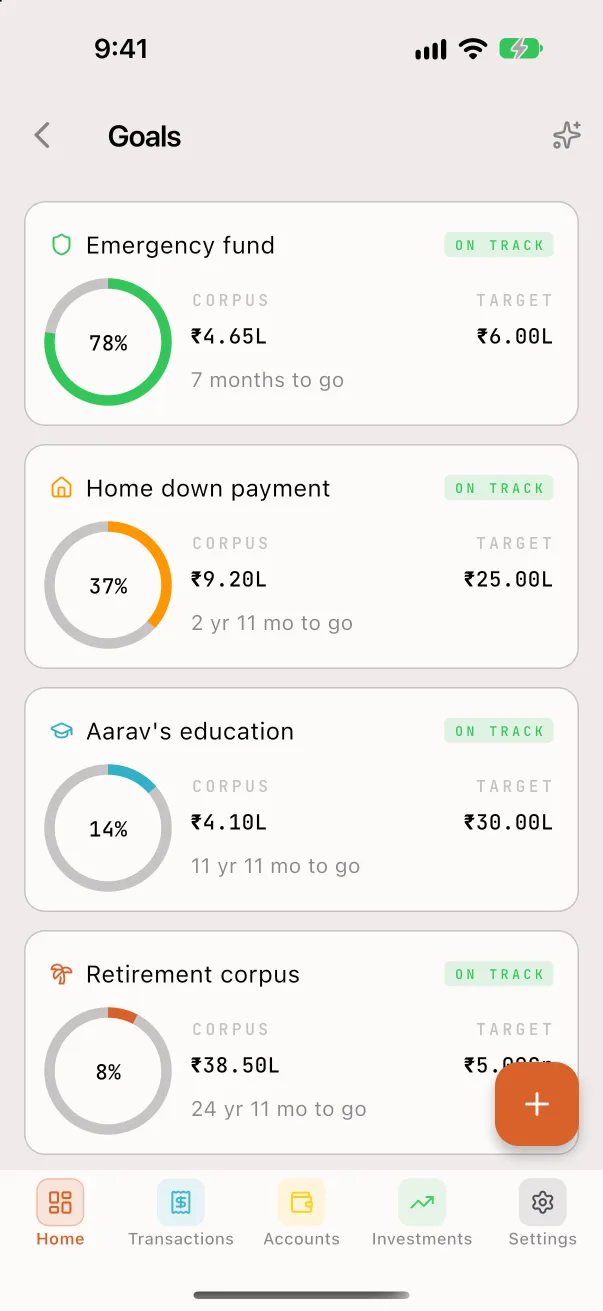
Goals that track themselves
Link the accounts and investments that fund a goal, and its progress updates as they grow.
Emergency fund, home, children's education, retirement or your own
One fund can back several goals, counted in full for each
On track or behind, the shortfall, and what to save each month
Milestone alerts at 25, 50, 75 and 100%
Tax · India
Income tax, sorted
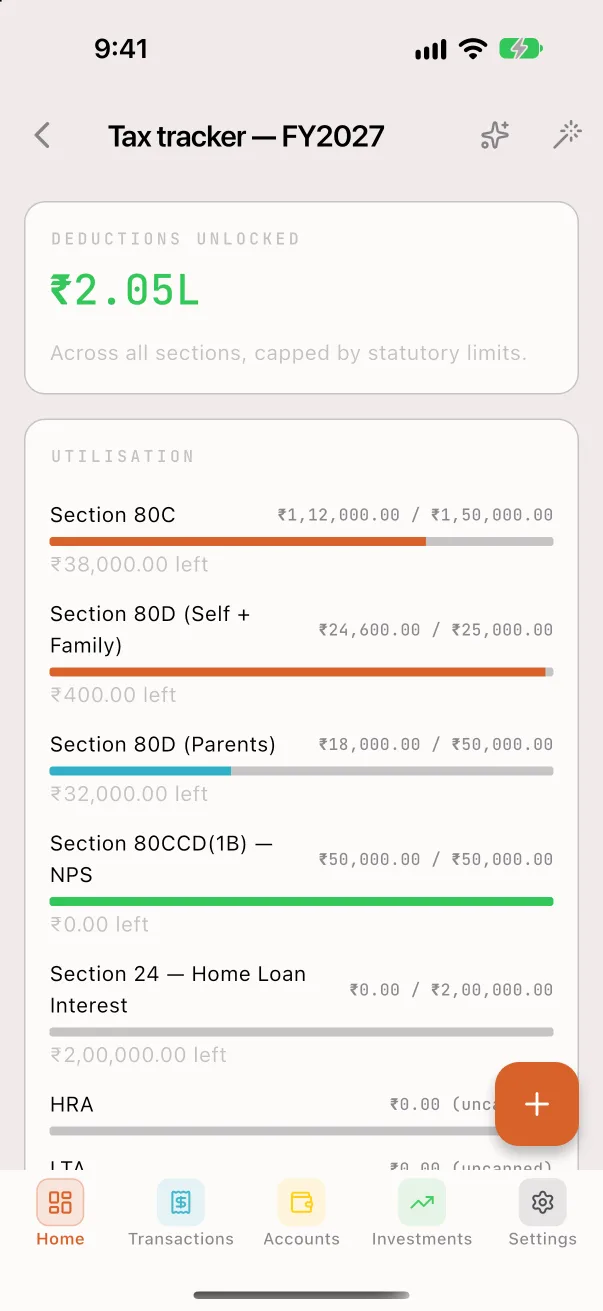
See how much of each deduction you've used this financial year and which regime saves you more.
80C, 80D (self and parents), 80CCD(1B), Section 24, HRA, LTA, 80E, 80G and 80GG
Old vs new regime side by side, with rebate, surcharge and cess
A tax profile for each financial year
Deductions suggested from your own transactions
Features
Everything in NeuFinance
Every feature below is in the app today.
Calendar
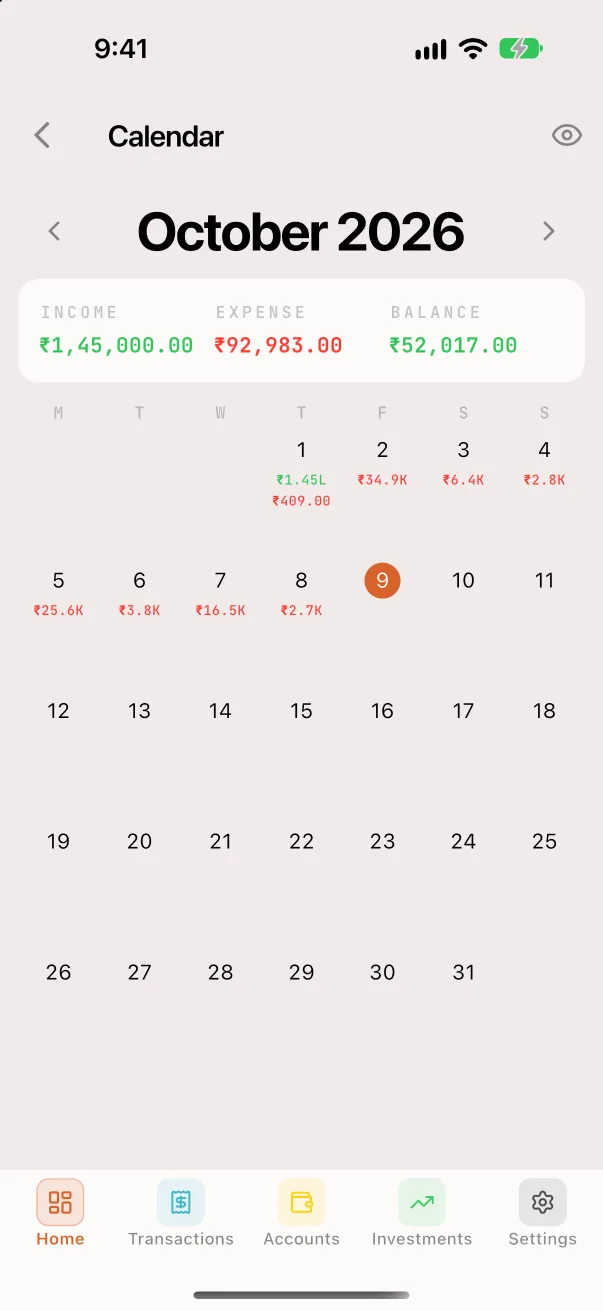
See each day's income, spending or closing balance on a month calendar, and add an entry for any date.
Recurring and reminders
Salary, EMIs, SIPs, subscriptions and transfers post on their day. Bill reminders come up to 7 days ahead, only between 7am and 10pm.
Analytics and reports
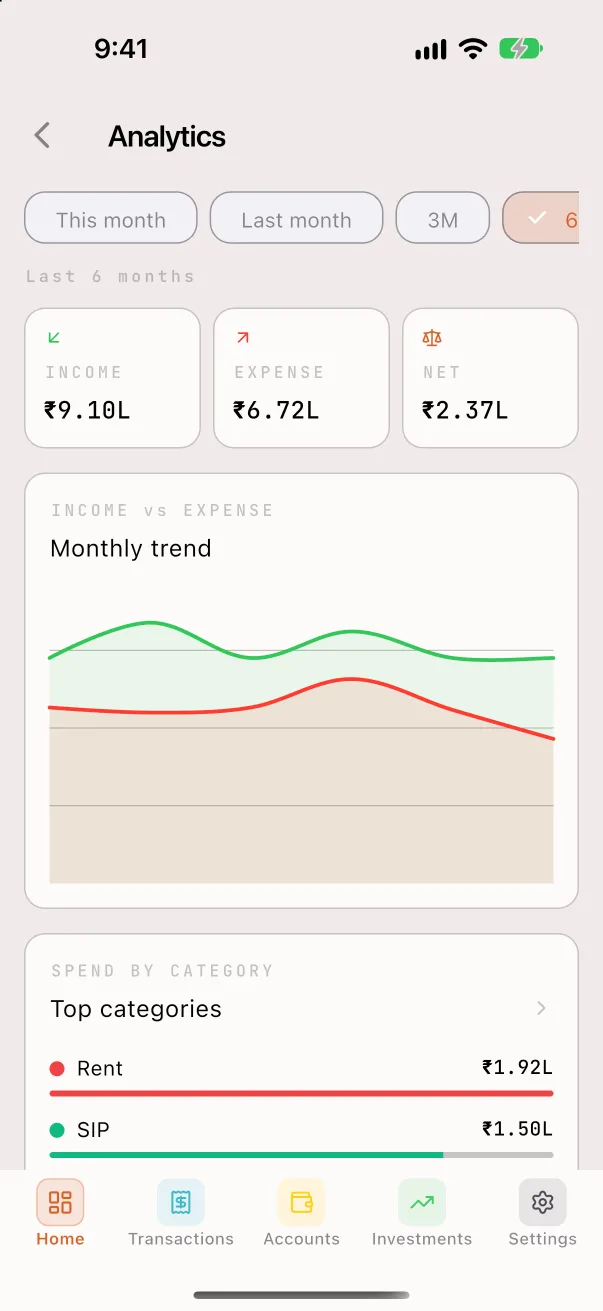
Monthly trends, top categories, spending by weekday and a month-end projection, plus cash flow, account ledger, year-over-year and loan payoff reports.
PDF and CSV exports
Monthly and yearly reports, net worth statement, portfolio and tax prep as PDF or CSV. Import or export all transactions as CSV.
Insurance
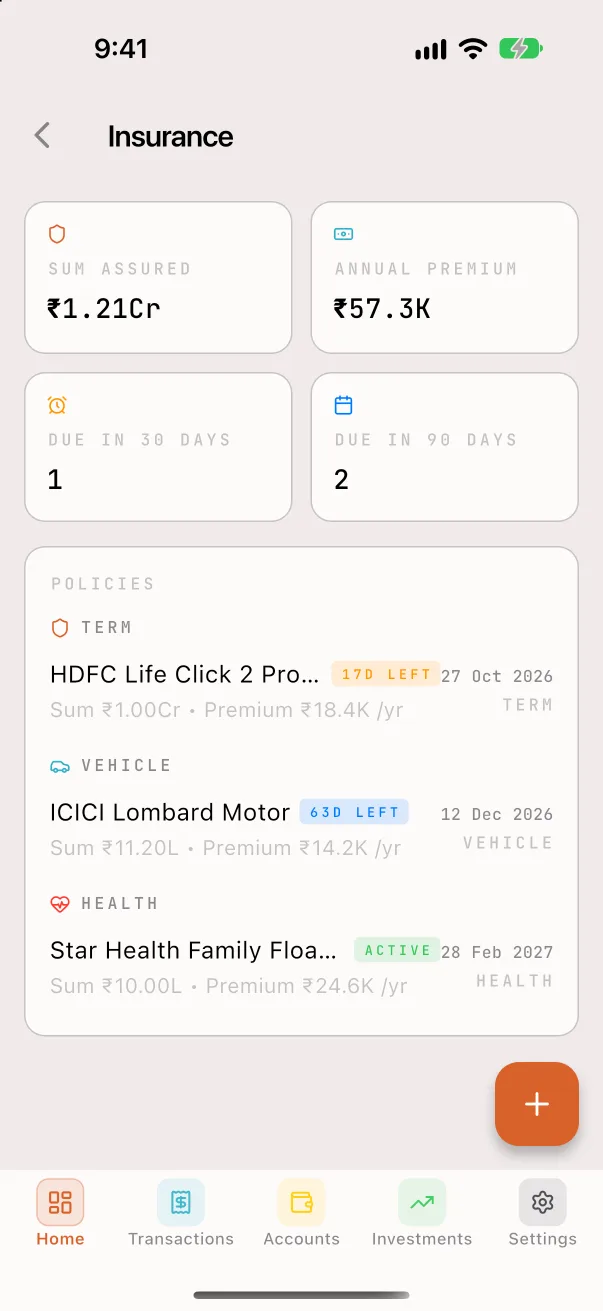
Term, life, health and vehicle policies with renewal reminders 30 and 7 days ahead and on the day. Premiums are added as expenses when due.
Debts and IOUs
Track who owes you and whom you owe, mark them settled, and see the net. Bill splits land here on their own.
Ask AI, on your terms
Pick ChatGPT, Claude, Gemini or Perplexity. NeuFinance copies a summary without account numbers and opens the app. It never calls an AI itself.
Home screen widget
This month's spending and a one-tap Add expense button, on the iPhone home and lock screens and as an Android widget.
Calculators
A calculator plus EMI, SIP and FD calculators, and a currency converter that uses the rate you enter.
Privacy
Private by design
Your financial data stays on your phone, encrypted, and only you can open it.
What it never asks for
No bank login, and no permission to read your SMS
No account or sign-up
No ads, analytics or tracking
No NeuFinance server: your data never reaches us
Google Play lists it as collecting and sharing no data
Encrypted database
The whole database is encrypted with AES-256 (SQLCipher). Its key is created on your phone and kept in the iPhone Keychain or Android Keystore.
A second lock on sensitive fields
Notes, payees, account names and numbers, policy numbers and more are encrypted again with AES-256-GCM, and so are receipt photos.
App lock
Face ID, Touch ID or fingerprint with a 6-digit PIN fallback. It locks again when you leave, after a delay you choose.
Private on screen
Hide every amount with one tap. Android blocks screenshots and blanks recent apps; iPhone blurs the app switcher. Notifications never show amounts.
Backups you own
Passphrase-protected backup files you can restore on any phone, plus optional daily encrypted backups to your iCloud Drive or Google backup.
Erase anytime
Wipe all data, keys and reminders from the phone in one step.
Screenshots
NeuFinance on iPhone.
Frequently asked questions
Is NeuFinance free?
Yes. NeuFinance is free on Google Play, with no ads, no subscription and no in-app purchases.
Does NeuFinance connect to my bank or read my SMS?
No. You add entries yourself with the calculator keypad, bulk add, recurring rules or a CSV import. It never asks for bank logins and has no SMS permission.
Where is my financial data stored?
Only on your phone, in a database encrypted with AES-256 (SQLCipher). The key stays in the iPhone Keychain or Android Keystore. There is no NeuFinance server, so we never see your data.
Does it work offline?
Yes, every feature works without internet. The only online steps are ones you start or your phone handles: iCloud or Google backups, opening an AI app, and Google Play's update check.
What happens when I change phones?
Make a passphrase-protected backup file and restore it on the new phone. You can also turn on daily encrypted backups: iPhone saves them to your iCloud Drive, and Android's own backup carries them to your Google account.
Is NeuFinance available on iPhone?
Not on the App Store yet. The iPhone version is in TestFlight testing, and the Android app is available now on Google Play.
Is it built for Indian taxes and investments?
Yes. Amounts use lakhs and crores, and the tax tracker covers 80C, 80D, 80CCD(1B), HRA, Section 24 and more under the old and new regimes. Investments include PPF, EPF, NPS, FDs, RDs, mutual funds, stocks, gold and crypto.
Which currencies does it support?
You choose one currency for the app from 12, including INR, USD, EUR, GBP, AED and SGD. It doesn't convert between currencies; the converter uses a rate you enter.
How does Ask AI work?
When you tap Ask AI and agree, NeuFinance copies a summary without account numbers and opens ChatGPT, Claude, Gemini or Perplexity. If that app isn't installed, the share sheet opens instead. NeuFinance never calls an AI service itself.
Can I split a bill with friends?
Yes. Turn on Split with people on any expense. Your share counts as spending, and what others owe goes to Debts until they pay you back.
Was NeuFinance called NeuFinTrack?
Yes. NeuFinTrack was renamed NeuFinance in October 2026. It's the same app, and your data carries over.